» ns_Startup 2.0, the Houdini launcher rebuilt around packages «
ns_Startup is my little tool to start Houdini with the right renderers, workgroups and environment variables, without touching the houdini.env every time. Version 2.0 is a complete rewrite: only Houdini packages, presets in a database, a new UI and a lot of old stuff thrown out.
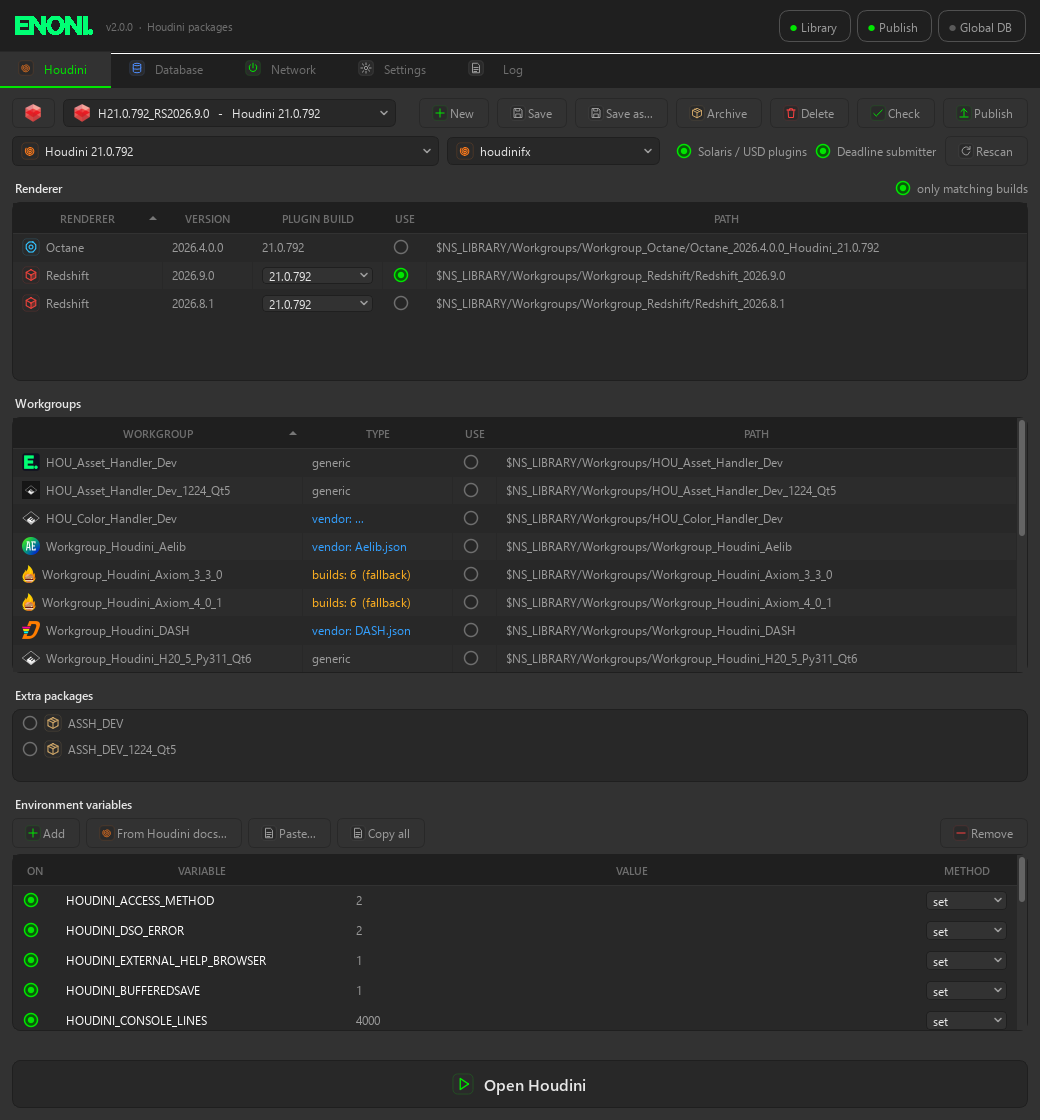
The old ns_Startup was running on my machines for years, still with Python 2.7 and PyQt4. It grew over time: .bat files, XML presets, folder names parsed by “_” and “-“, a little chat client, sounds and splash screens. It was fun, but hard to keep alive with every new Houdini and renderer version.
So I rewrote it from scratch. ns_Startup 2.0 does one job: pick a Houdini version, the renderer builds, your plugins/workgroups (HDA libraries, toolkits, solvers) and environment variables. It writes clean Houdini package files out of it, publishes them as a fixed version on the file server and starts Houdini with them. The Deadline farm picks up exactly the same version, without changing any submitter.
Note: it is still based on my way of working and organizing my files, but much less than before. Paths, search locations and renderers are all set in the UI now, so you need no Python to adapt it. Windows is in daily use here, the Linux and macOS installers are there but not tested yet.
GITLAB Repository (free, MIT License):
https://gitlab.com/e_noni/ns_startup_2-0
Requirements:
- Python 3.11+ (PySide6 and psycopg are installed into its own venv by the installer)
- Houdini packages, tested with Houdini 20.5 / 21.0
- optional: a PostgreSQL server for shared presets (docker compose file is included)
- optional: Deadline
UI overhaul
New UI with PySide6, dark, one tab per job: Houdini, Database, Network, Settings, Log. One uniform icon set, all lists sortable by clicking the header, the status of library, publish folder and global DB always visible top right. Workgroups show their own icon if there is an icon.png / icon.svg in the folder.
It sits in the tray too: start presets or published packages from there, wake machines, autostart with Windows. Windows notifications tell you when Houdini started (with the package version), when something got published or failed.
Only packages
No .bat files and no local .env changes anymore. Every start is HOUDINI_PACKAGE_DIR with generated package files:
00_ns_startup.json        preset name, package version, your env vars, scene hook
10_wg_<workgroup>.json    one per workgroup
20_<renderer>.json        one per renderer
30_extra_<name>.json      extra packages (e.g. AssetHandler)
40_deadline.json Deadline submitter (optional)- Renderers: Redshift, Octane, Arnold, V-Ray, RenderMan, Solaris / USD aware. “only matching builds” shows only the builds for the selected Houdini version.
- Vendor packages: drop the package JSON that comes with a plugin (Axiom, MOPS, Aelib, …) into its folder and the paths are re-based automatically. New plugin version, no code change.
- Versioned builds: folders with builds per Houdini version (Axiom style) get the right conditions automatically, with a fallback.
- Check still tells you if a renderer or workgroup of a preset is missing.
Paths per OS and search by content
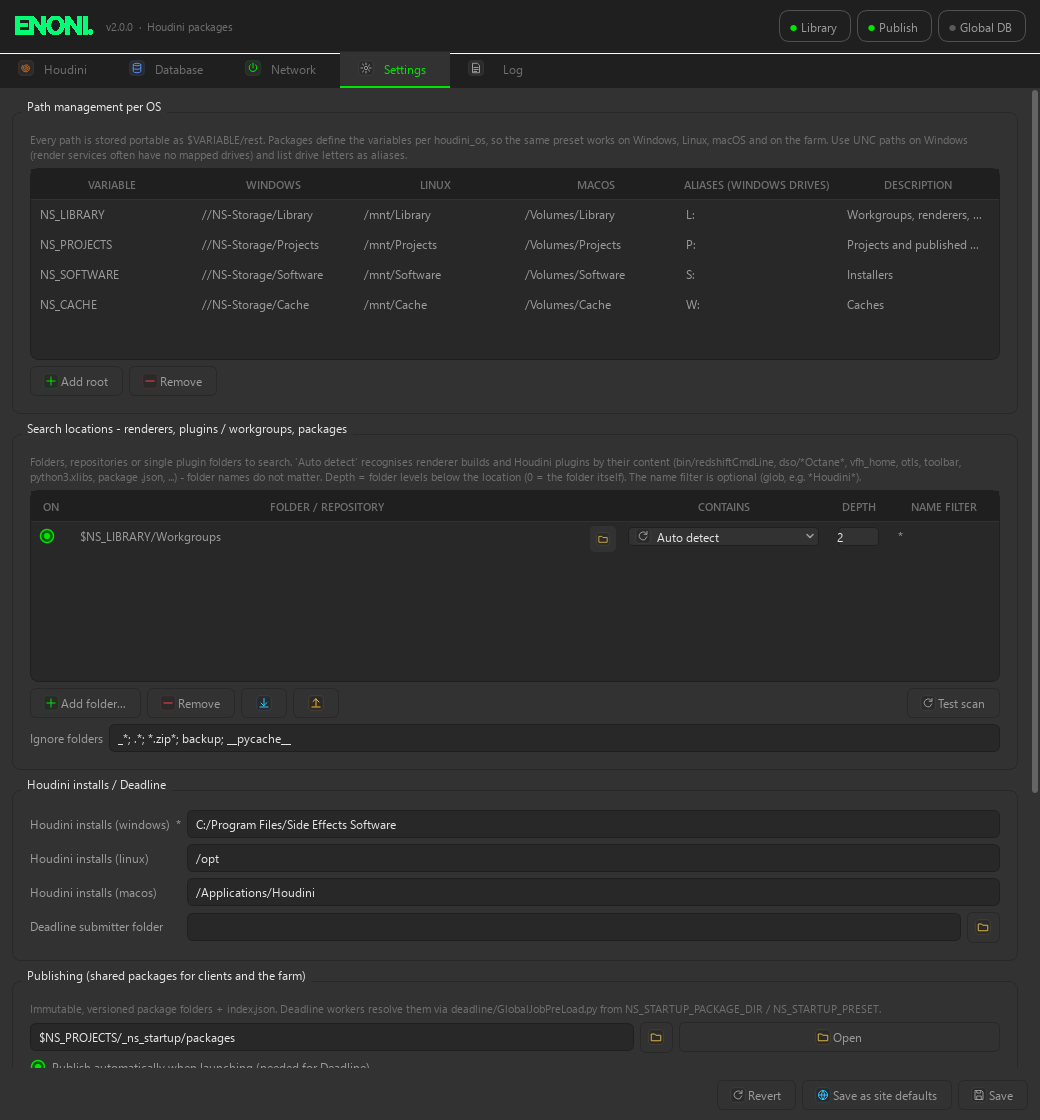
Every path is stored portable, like $NS_LIBRARY/Workgroups/.... The roots (NS_LIBRARY, NS_PROJECTS, …) are defined once per OS, so the same package works on Windows, Linux, macOS and on the farm. Save as site defaults writes them next to the tool for all clients.
The search locations don’t care about folder names anymore. Renderers and plugins are found by what is inside (bin/redshiftCmdLine, dso/*Octane*, otls/, python3.xlibs/, a package .json, …). New folders show up when you open the window again or hit Rescan / F5. Folders starting with _ are ignored, good for an _archive.
Database
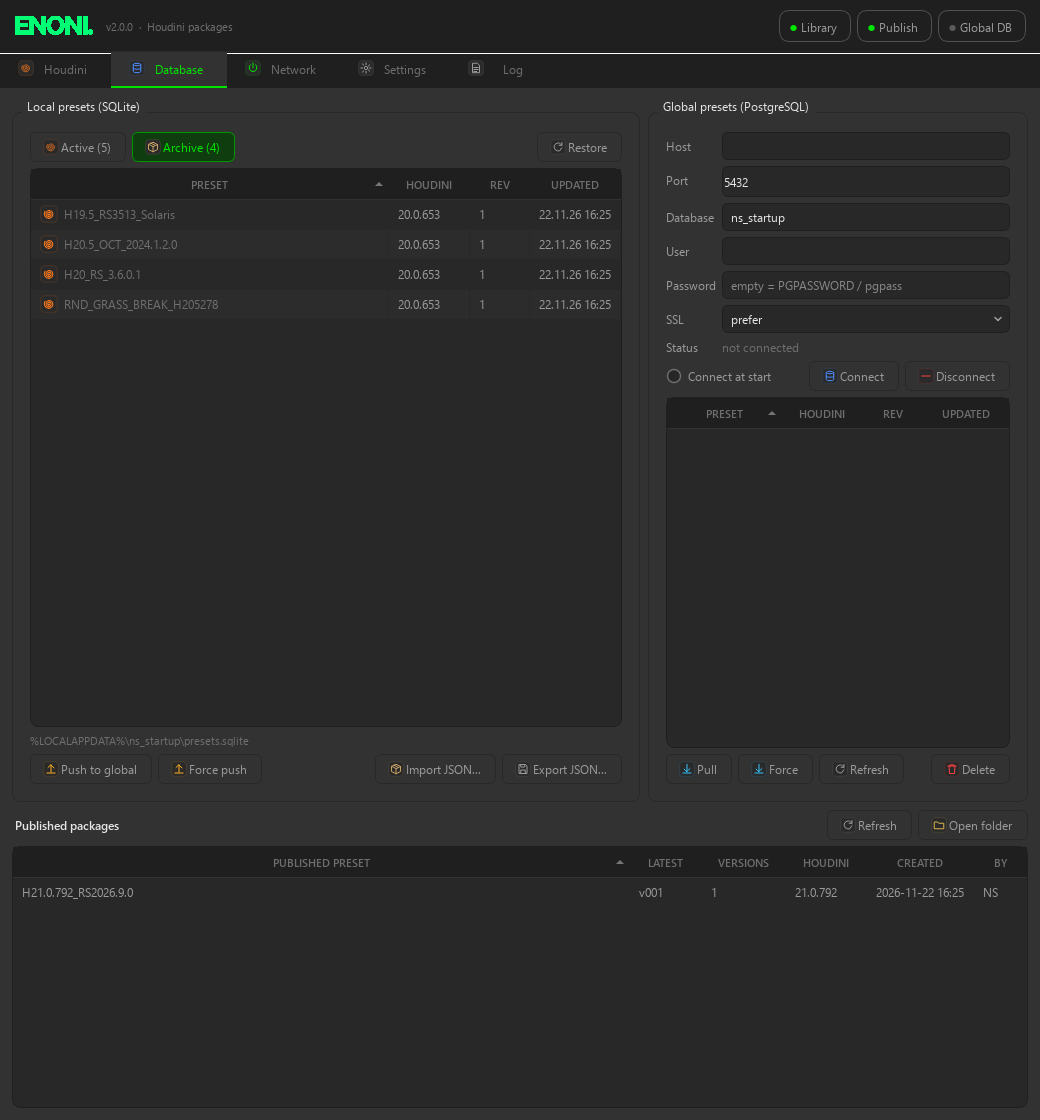
Presets don’t live in XML files anymore. They are in a local SQLite database per user. If you want to share them, connect a PostgreSQL server (a docker compose file is in the repo) and push / pull them. It detects conflicts, so you don’t overwrite a newer global preset or your unsynced local changes by accident.
Old presets don’t need to be deleted anymore: Move to archive hides them from the launcher and the tray, Restore brings them back.
Publish & Deadline
Publish writes the packages as a fixed, versioned folder (v001, v002, …) to the project server. A new version only comes when the content really changed. By default every Houdini start publishes first, so Houdini always runs from a published version.
A small scene hook stamps the package version into every saved .hip. On the farm the GlobalJobPreLoad.py reads it and sets the same packages on the worker, mapped for its OS. My own submitters stayed untouched. And if a job from ns_Startup can’t find its package, it fails with a clear message instead of rendering without renderer or HDAs.
Environment variables from the Houdini docs
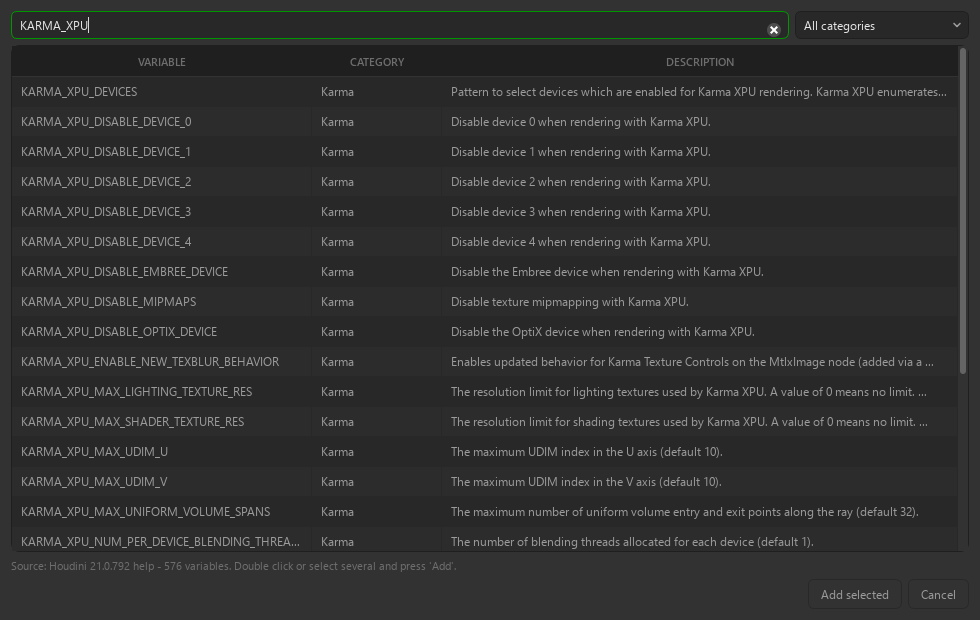
The env var list comes from the help of the selected Houdini install itself, so it always matches that version, with category and description. You can still add your own, set / append / prepend, switch single ones off. Copy all / Paste works between presets, and also with set / export lines or the output of hconfig -a.
Wake on LAN & Log
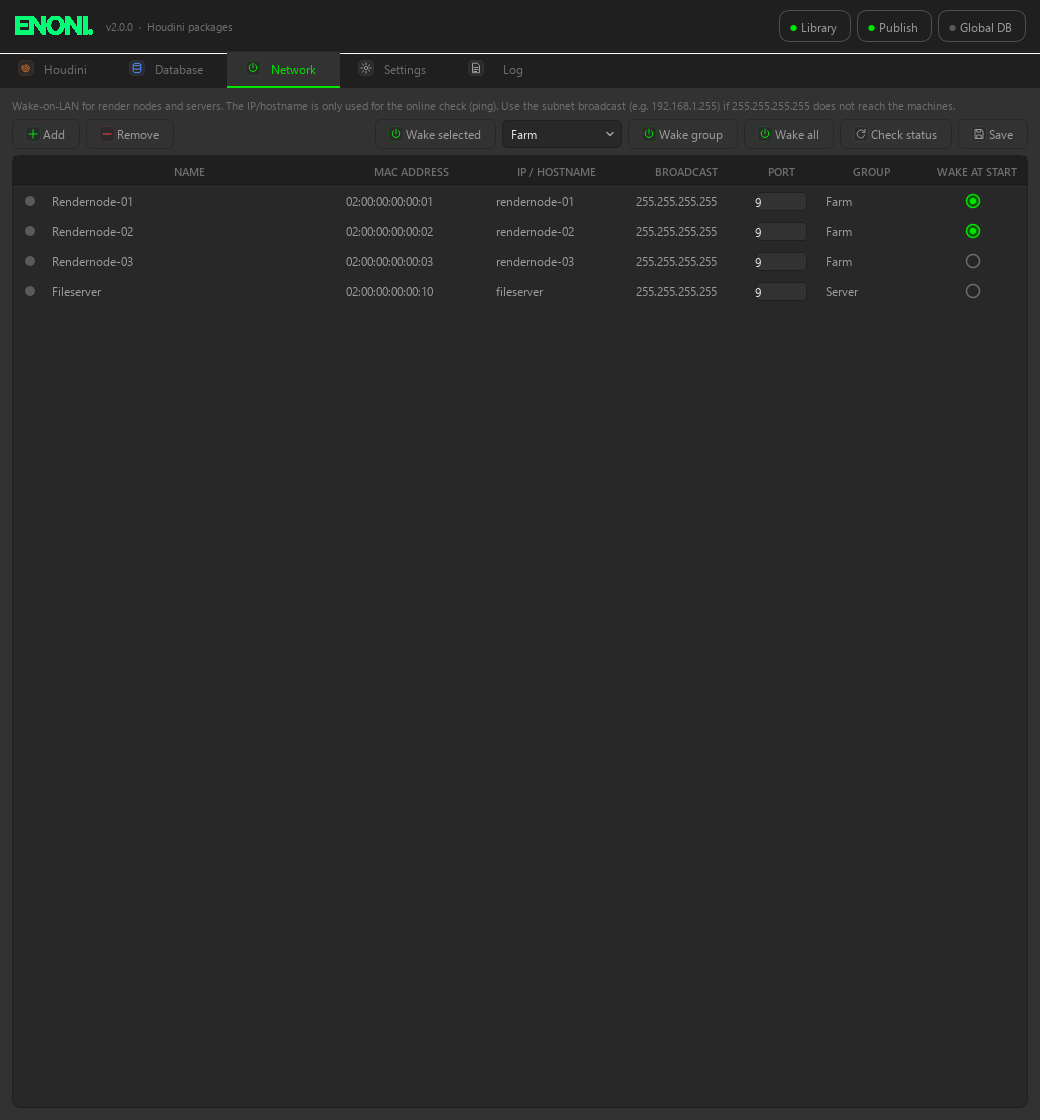
Wake on LAN is still on board, now with groups, an online status and “wake at start” per machine.
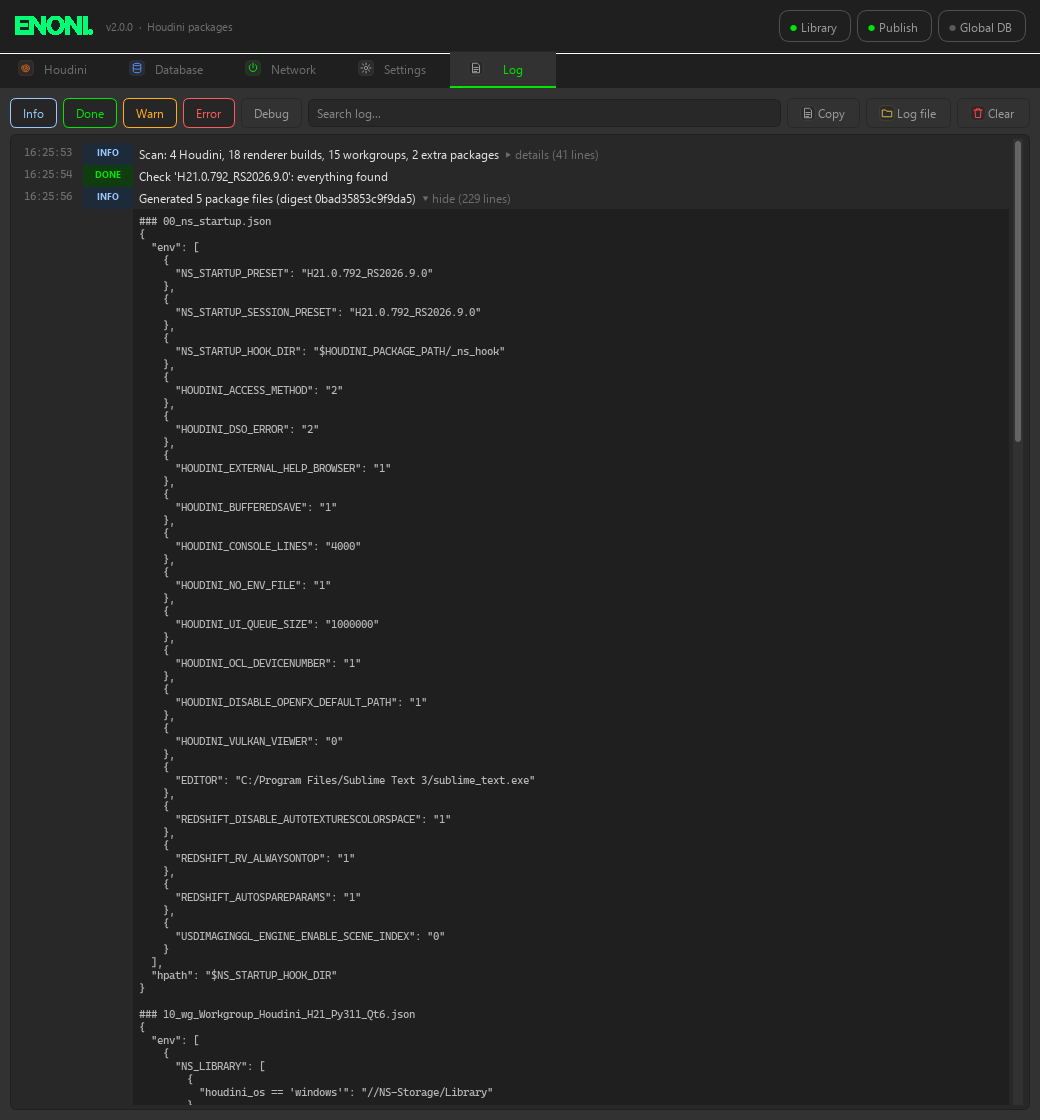
The log has levels, filters and a search. The details are collapsible, so you can see every generated package file and the launch command with its environment.
Cleanup
A lot of old stuff is gone:
- Python 2.7, PyQt4 and PyAudio
- the chat client and the chat server
- sounds and splash screens
- .bat files and XML presets
- folder name parsing with “_” and “-“
To switch over, Settings > Migrate 0.1.x imports the old XML presets (with icons), the old _tmp presets into the archive, the AssetHandler packages, the WOL machines and the Deadline submitter folder. Presets that are only left as package folders are rebuilt from their JSONs. For me that were 96 presets, 5 active and 91 into the archive.
Install
The tool lives once on the file server, every machine gets its own small Python environment:
# Windows
powershell -ExecutionPolicy Bypass -File install\install_windows.ps1 -Autostart
ns_startup.cmd

# Linux / macOS
bash install/install.sh --autostart
./ns_startup.sh
Updates come with Settings > Update (git pull), the tool folder is a clone of the repository. More details, flow diagrams and where everything is written are in the README.
Next
Still on my list: checking the first real farm jobs, Linux workers, moving the PostgreSQL to the fileserver and testing the Linux/macOS installers. If you try it and something breaks on your setup, let me know: hello@enoni.de