ASSH = Asset Handler
ASSH supports parsing FAB Megascans assets thats loaded with Epic Games Launcher. Downloaded assets – just with Browser, don’t packaged the thumbnail at all. You can use it with some restrictions in the “MEGASCANS_Library” context but without a preview picture.
Therefore there is the new “MEGASCANS_Fab_Library” context for additional libraries.
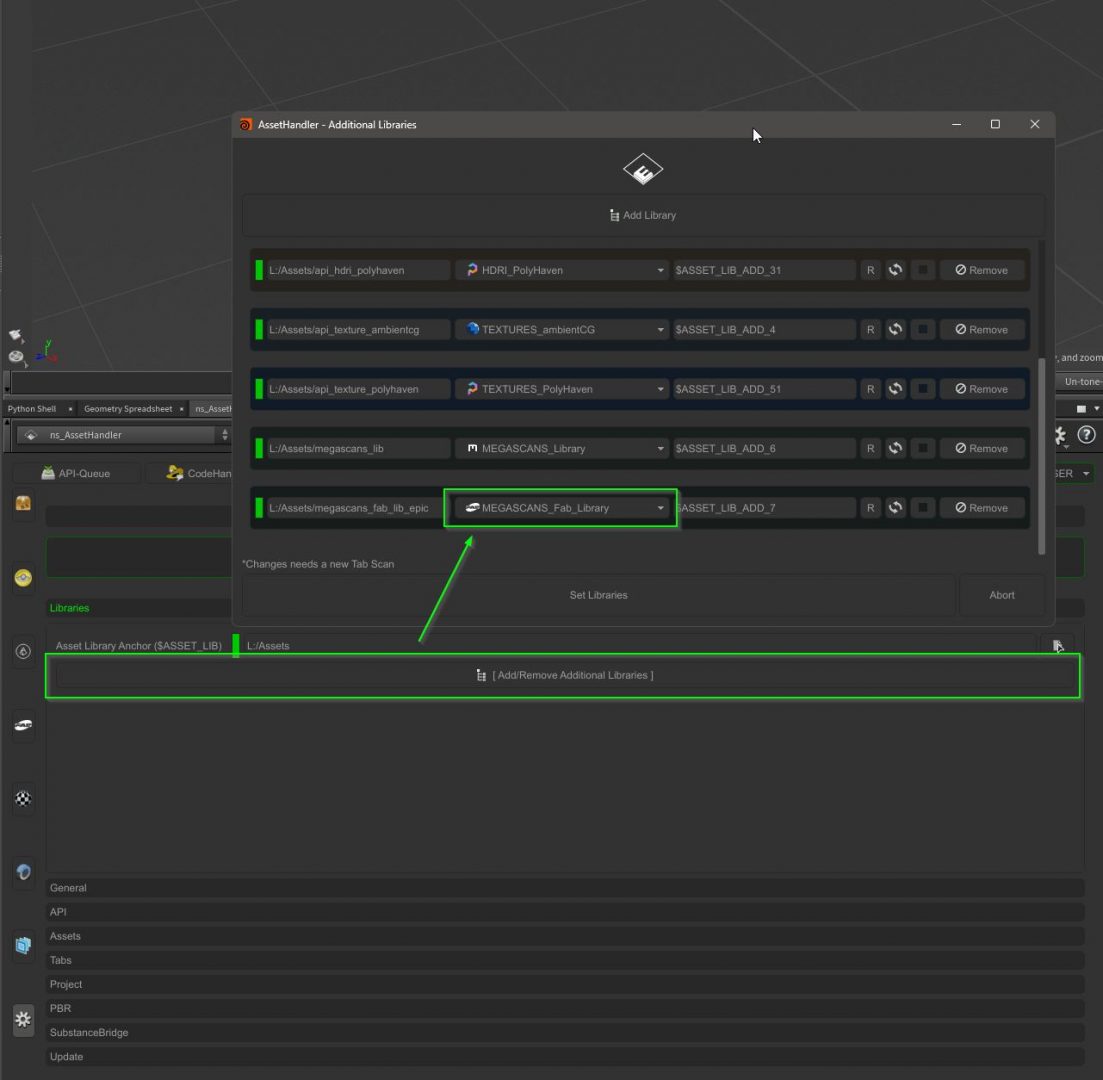
You have to set your Epic Game Launcher download settings to that library folder you choosed.
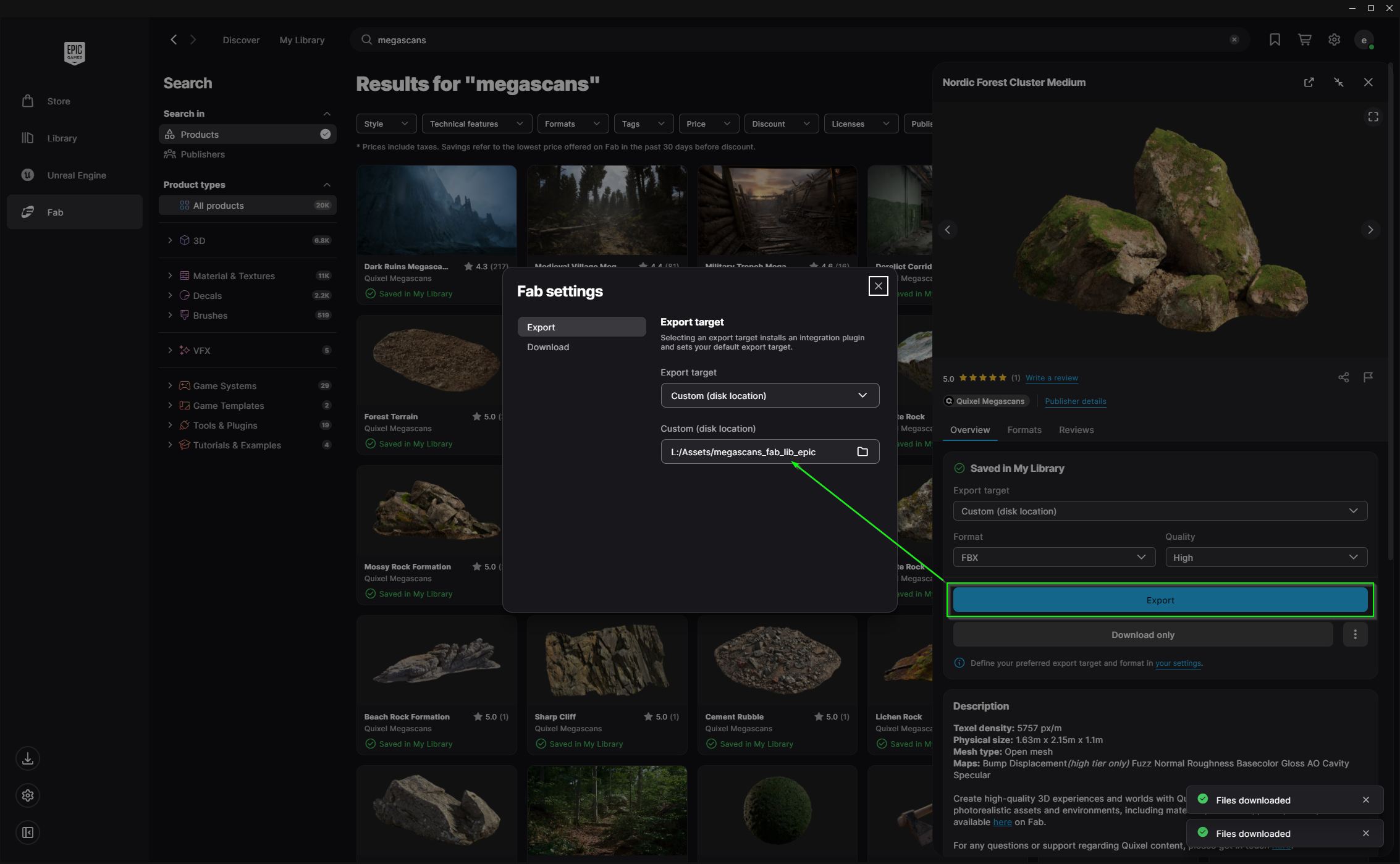
“Export” save path
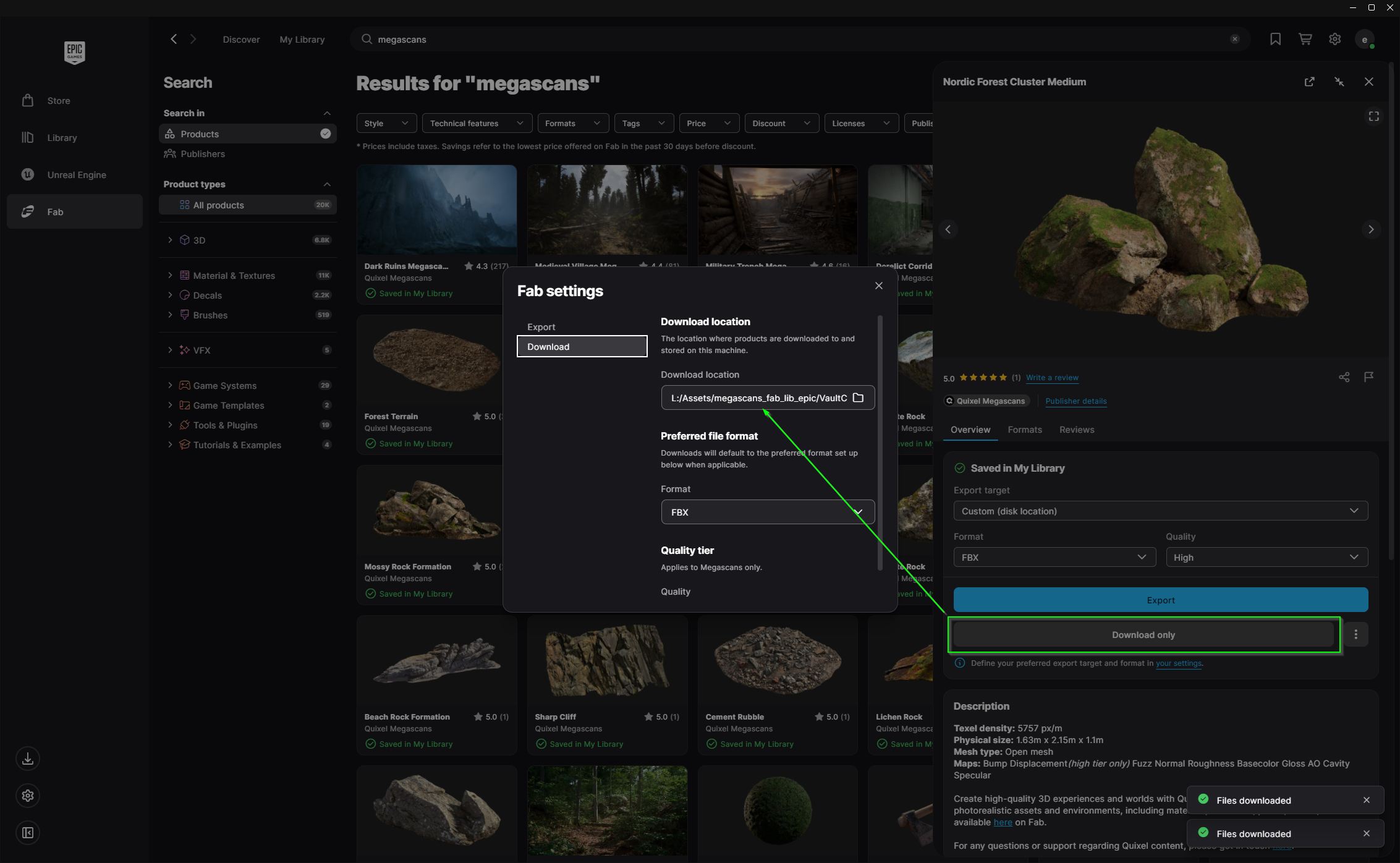
I prefer and recommend to load the asset just with “Download Only”. You can either use both methods “Export” and “Download Only” ,with “Export” you get missing Metadata as well.
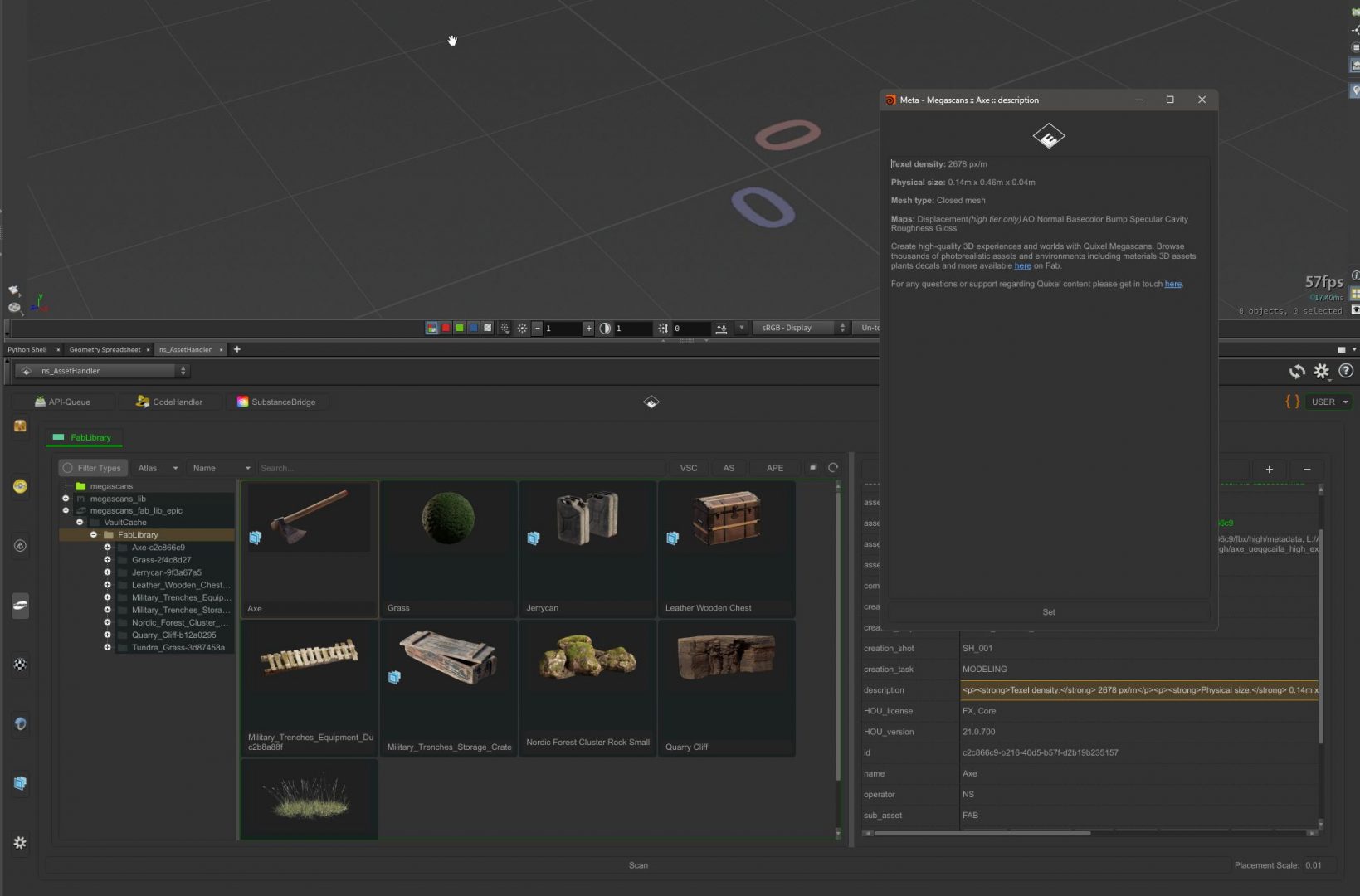
“Download Only” loads the asset data into the VaultCache from Epic. The asset items in the ASSH appears in the FabLibrary folder. Usage its like the other regular Megascan context libraries.
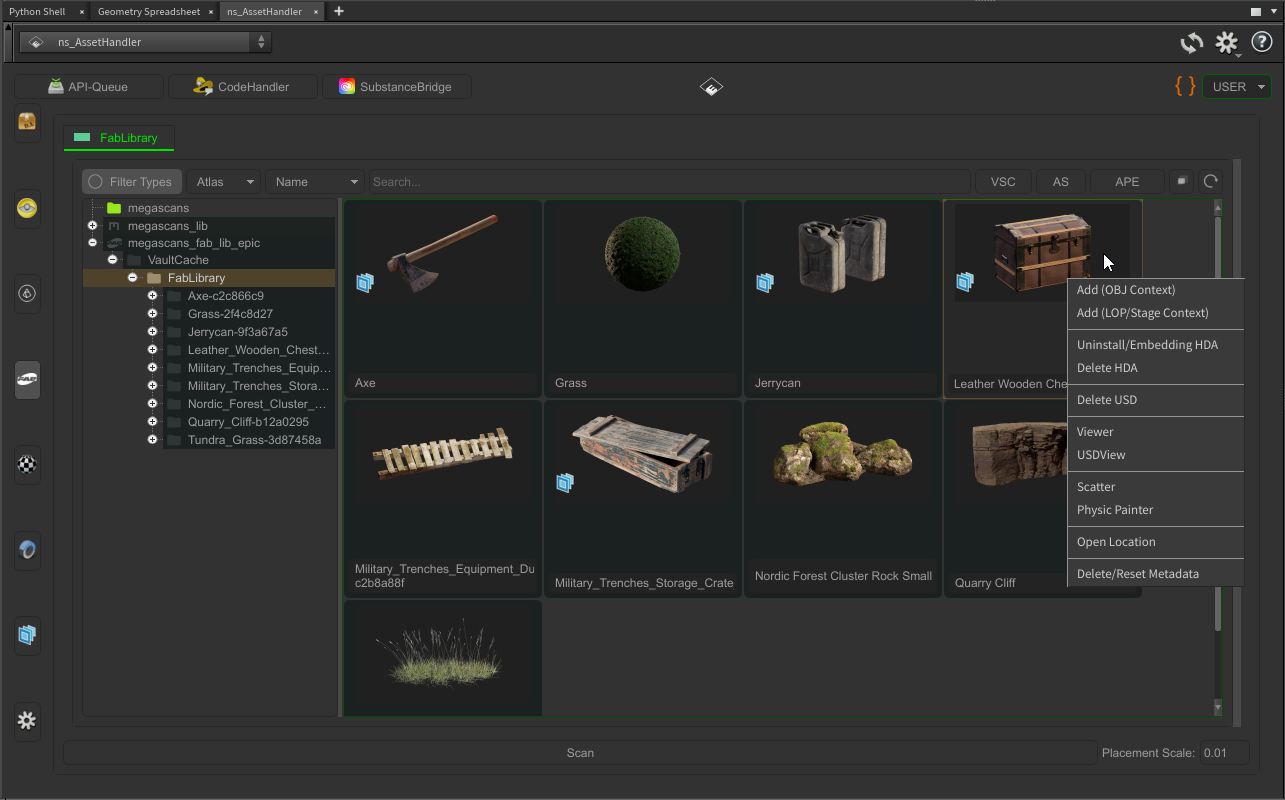
The Metadata differs at some points to the old Megascans assets. The Description key holds the information from the website/store.
NOTE:
Sometimes the Epic Game Launcher denied the setted VaultCache path, than edit the setting file directly (search for VaultCacheDirectories=… )
C:\Users\<USER>\AppData\Local\EpicGamesLauncher\Saved\Config\WindowsEditor\GameUserSettings.ini