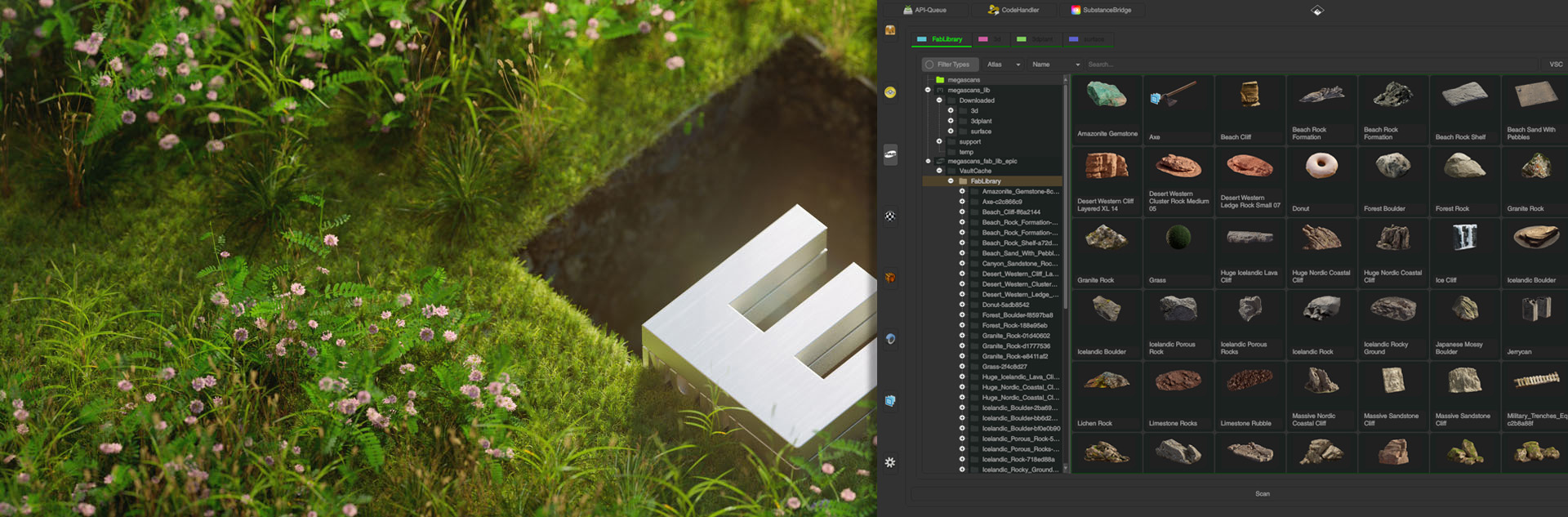
The AssetHandler (ASSH) is a Python panel for Houdini that keeps all your assets in one place: HDAs, HDRIs, Redshift proxies and Octane archives, Aixterior and Megascans assets, textures, shader presets, models, kitbashes and USD files. You browse them with thumbnails and metadata, and you drag them straight into the Network View, the Scene Viewer or Solaris. The ASSH builds the nodes, materials and lights for your renderer.
Asset contexts
Every asset type has its own tab in the panel. The tab decides how assets are scanned, shown and placed.
| Tab | What it holds |
|---|---|
| HDA | Your own HDAs and NoneHDAs (node setups stored as Python code) |
| HDRI | HDRI maps for dome/environment lights and HDRI studio lights; ambientCG and PolyHaven HDRIs |
| RS-Proxy / ORBX | Redshift proxies and Octane ORBX archives |
| Aixterior | Aixterior assets, atlases and materials |
| Megascans | Quixel Megascans and Fab assets |
| Textures / Materials | Texture folders, PBR sets, videos, ambientCG/PolyHaven textures, AMD MaterialX |
| Shader | Shader and material presets with rendered thumbnails |
| Models / Kitbashes | Geometry files (.fbx, .obj, .abc, .bgeo, .vdb, .usd) and PolyHaven models |
| USD | USD assets and layers |
First steps
- Install the ASSH: Installation and Requirements.
- Set your main library and add more libraries if you need them: Libraries.
- Learn the panel: Basics UI.
- Open a tab, press Scan and drag an asset into your scene.
Besides the asset tabs, the ASSH comes with the Code Handler, two scatter HDAs, the SubstanceBridge, a vehicle rig and more tools. All pages are listed below.
Questions or bugs: [hello@enoni.de](mailto:hello@enoni.de) or the Discord server.