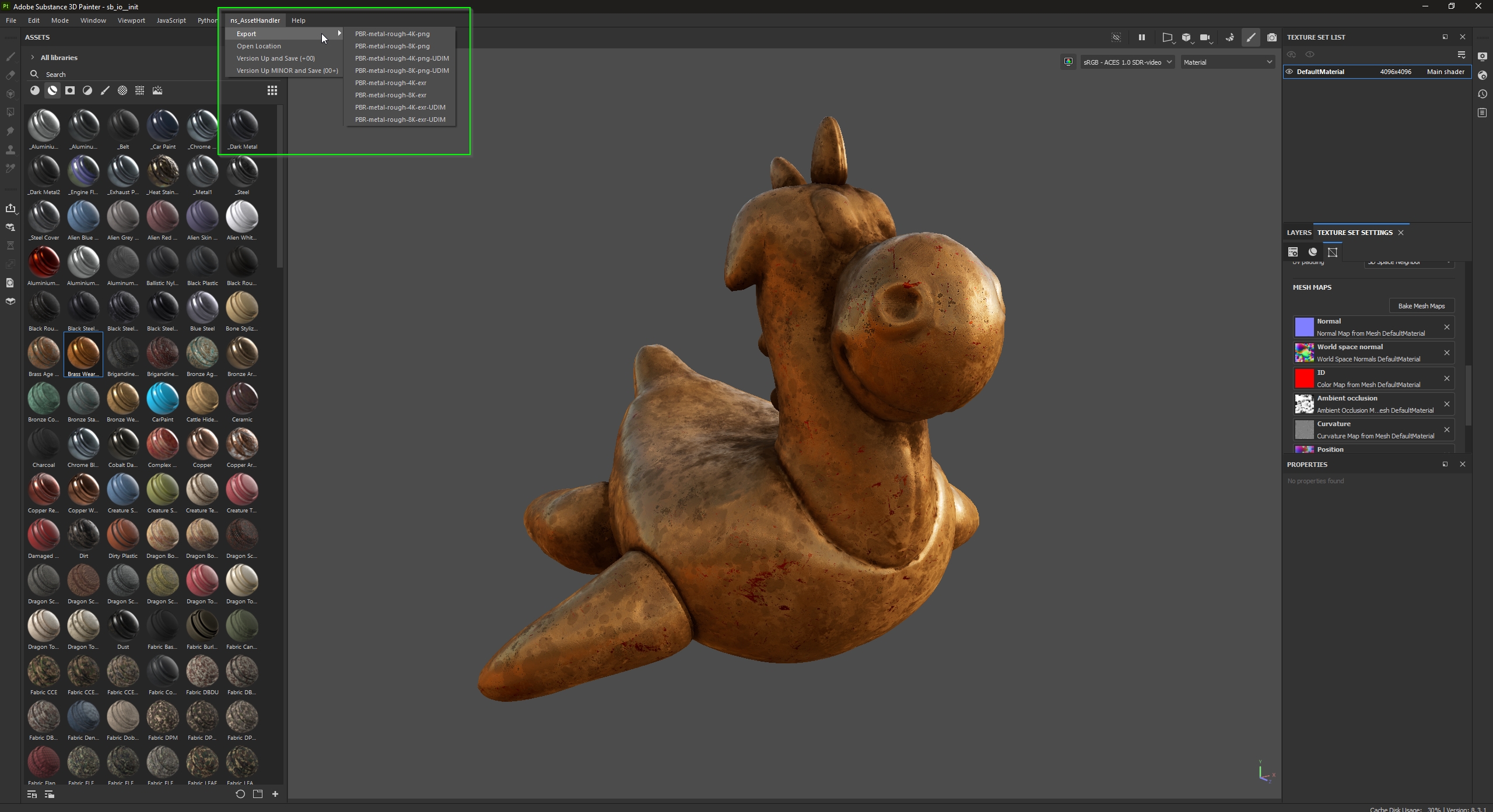
Windows only (the Steam version works as well)
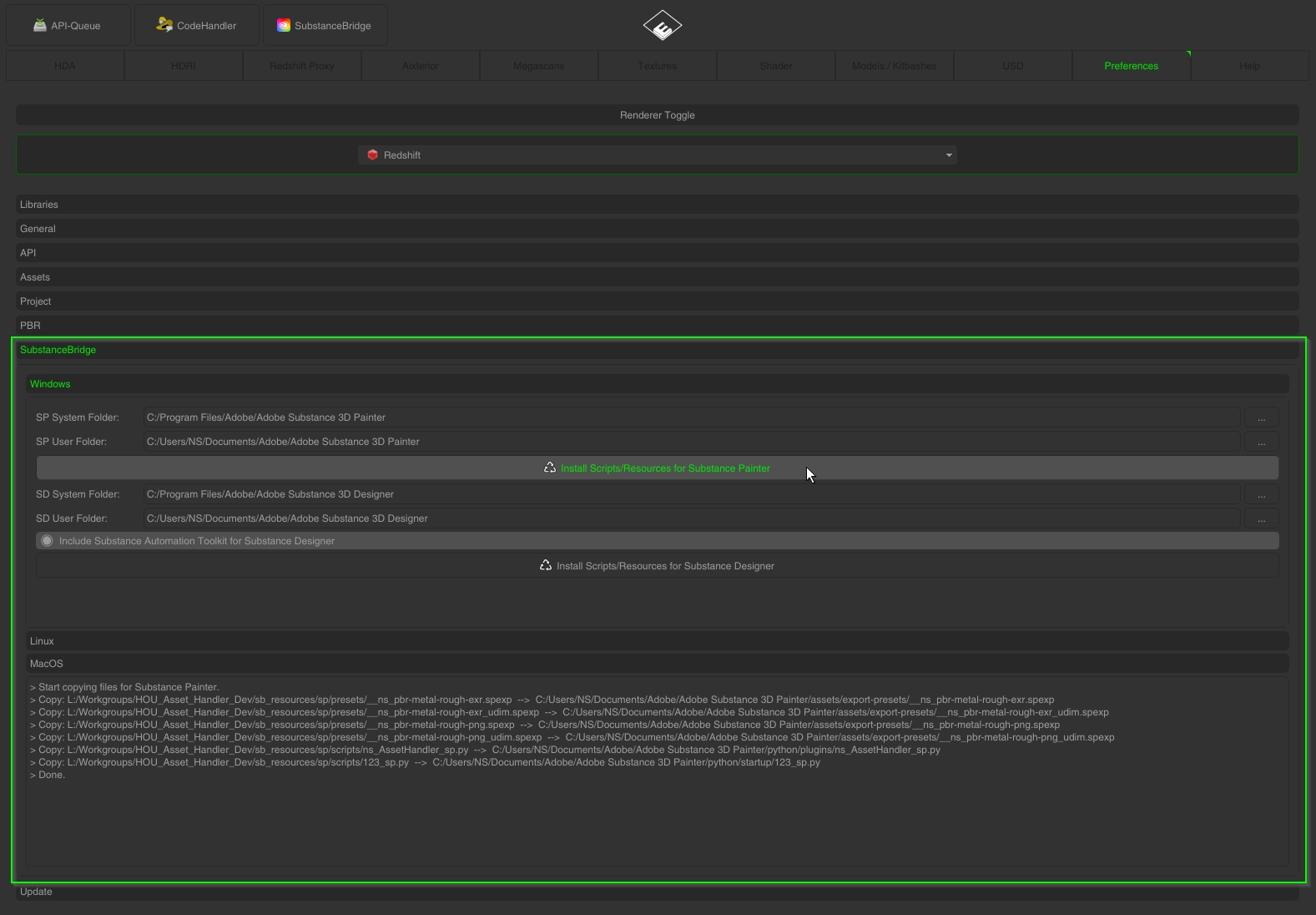
In Preferences > SubstanceBridge you install the scripts and export presets for Substance Painter and Designer with one click each:
- Check the paths: SP System Folder and SP User Folder for Painter, SD System Folder and SD User Folder for Designer. They have to point to your Adobe, Allegorithmic or Steam installation and your user documents.
- Press Install Scripts/Resources for Substance Painter and/or Install Scripts/Resources for Substance Designer.
- For Designer, Include Substance Automation Toolkit for Substance Designer also installs the Substance Automation Toolkit that ships with the ASSH. It is the last version Allegorithmic released; Adobe has not published a newer one, but it still works.
- If the Designer export fails with an import error, press Fix pysbs > python_helper.py.
After the installation, Painter and Designer have a new menu for the bridge: