ASSH = AssetHandler
The ASSH connects to three free online libraries. You browse them in the ASSH like your own assets, and the files are downloaded when you use them:
| Source | Assets | Tab |
|---|---|---|
| PolyHaven | HDRIs, PBR texture sets, models with textures | HDRI, Textures / Materials, Models / Kitbashes |
| ambientCG | HDRIs, PBR texture sets, atlases | HDRI, Textures / Materials |
| AMD MaterialX Library | MaterialX materials with textures | Textures / Materials |
Setup
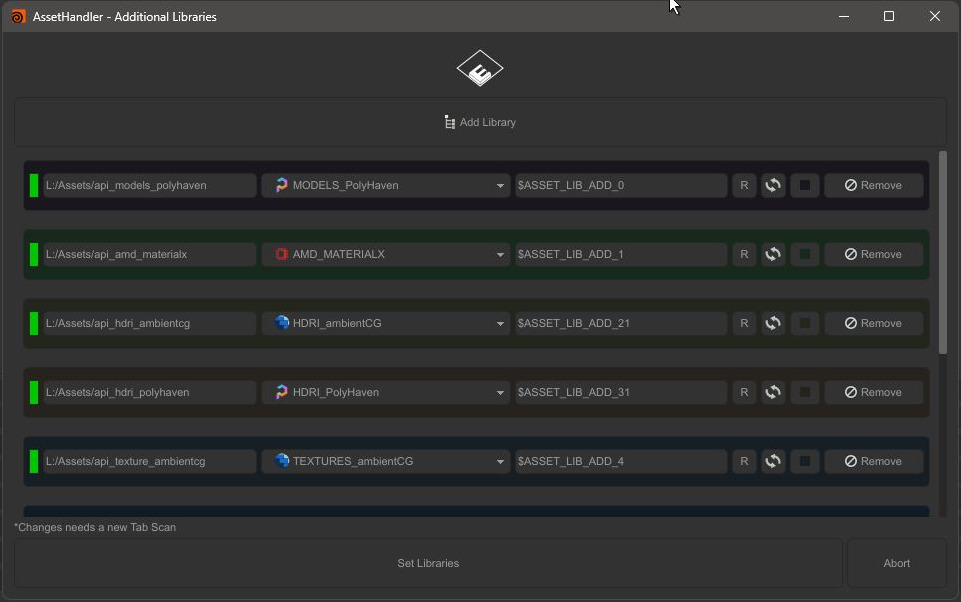
Every source needs an additional library, where the downloads are stored: HDRI_PolyHaven, TEXTURES_PolyHaven, MODELS_PolyHaven, HDRI_ambientCG, TEXTURES_ambientCG or AMD_MATERIALX. Give every source its own folder. Only the HDRIs of PolyHaven and ambientCG may share one folder.
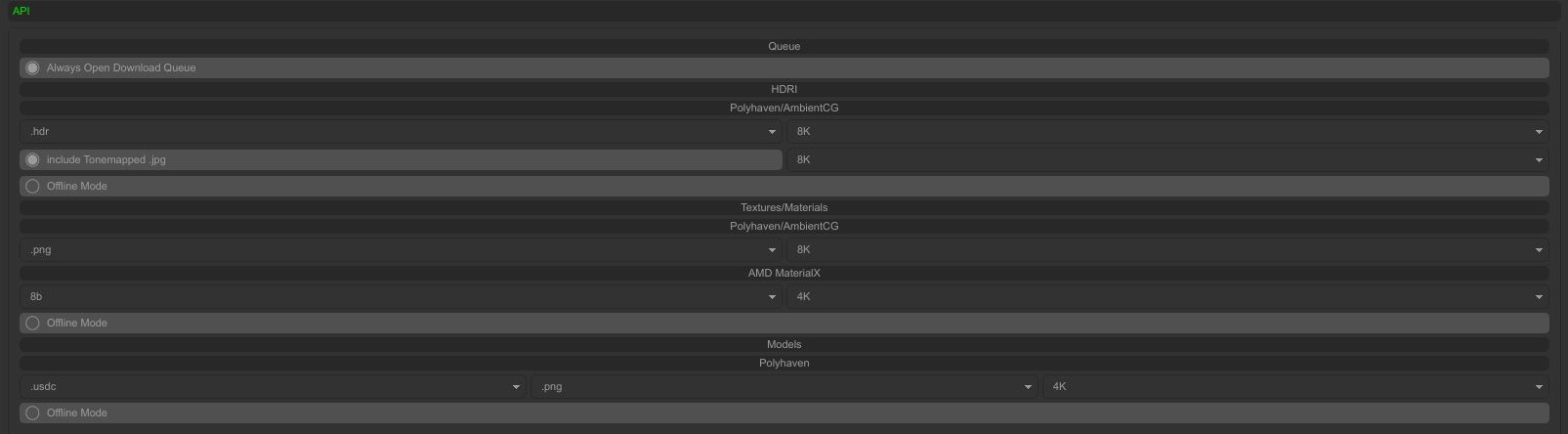
Formats and sizes for the downloads are set in Preferences > API (see Preferences).
Working with API assets
- The first request of a library takes a while, because all data and thumbnails are loaded once.
- A coloured type icon means the asset exists locally in the format and size from the Preferences. A grey icon means it will be downloaded when you use it.
- Drop or add an asset that is not downloaded yet: it goes into the API-Queue and is placed when the download is finished.
- Download / Download Set in the right-click menu only downloads, without placing anything.
- Offline Mode (Preferences > API) shows only what you downloaded already and works without internet.
- Right-click a library folder to open the website of the source.


