ASSH = AssetHandler
The ASSH reads Megascans assets from Fab that you load with the Epic Games Launcher. These downloads come as .fbx/.usdz files with texture sets, but without the classic Megascans folder layout and, when downloaded in the browser, without a thumbnail. For them there is the library type MEGASCANS_Fab_Library. (In a normal MEGASCANS_Library they work with restrictions and without preview.)
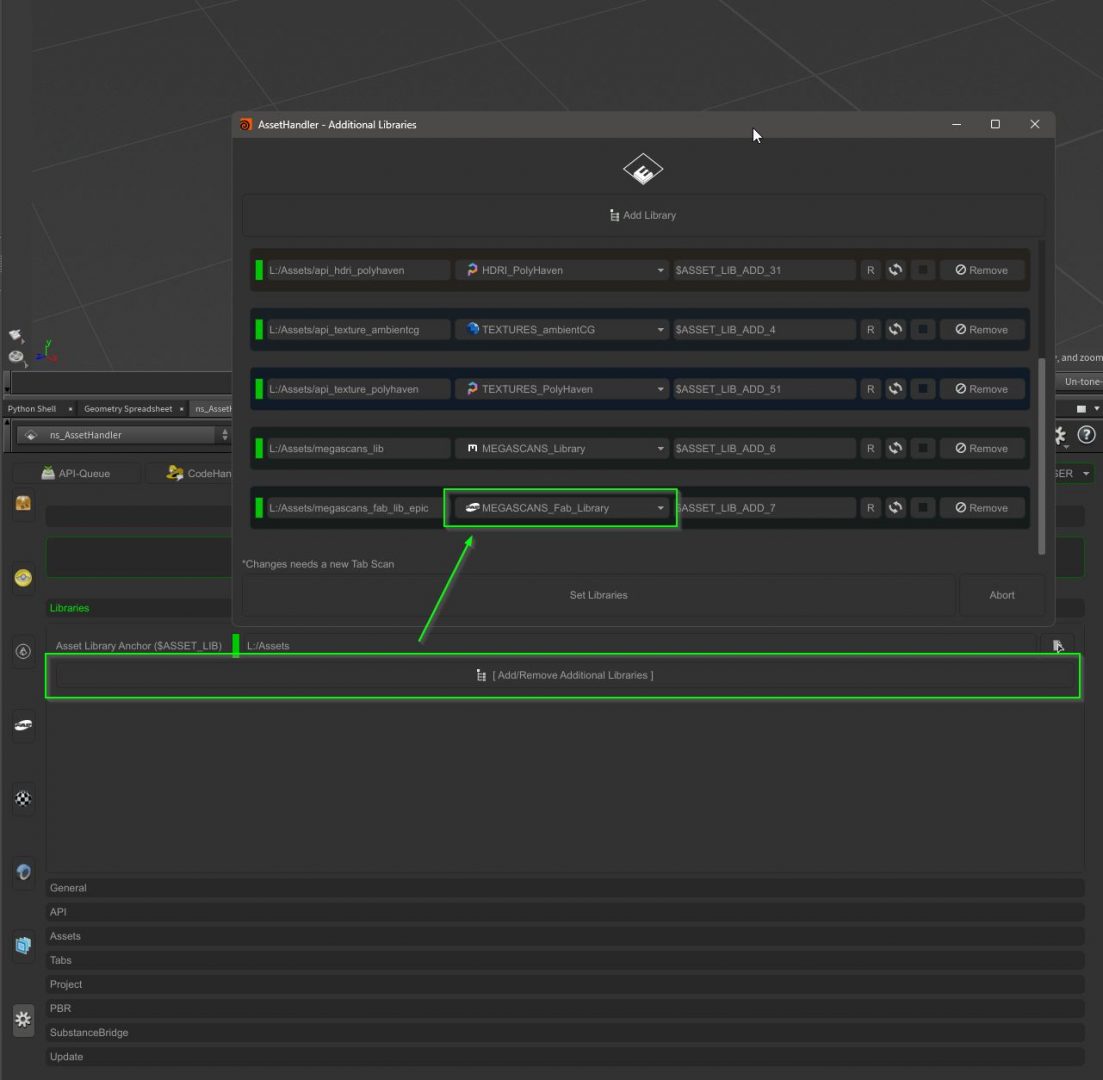
Setup
- Add an additional library of type MEGASCANS_Fab_Library and choose a folder.
- In the Epic Games Launcher, set the download folder (VaultCache) to the same folder.
- Download assets in Fab with Download Only or Export.
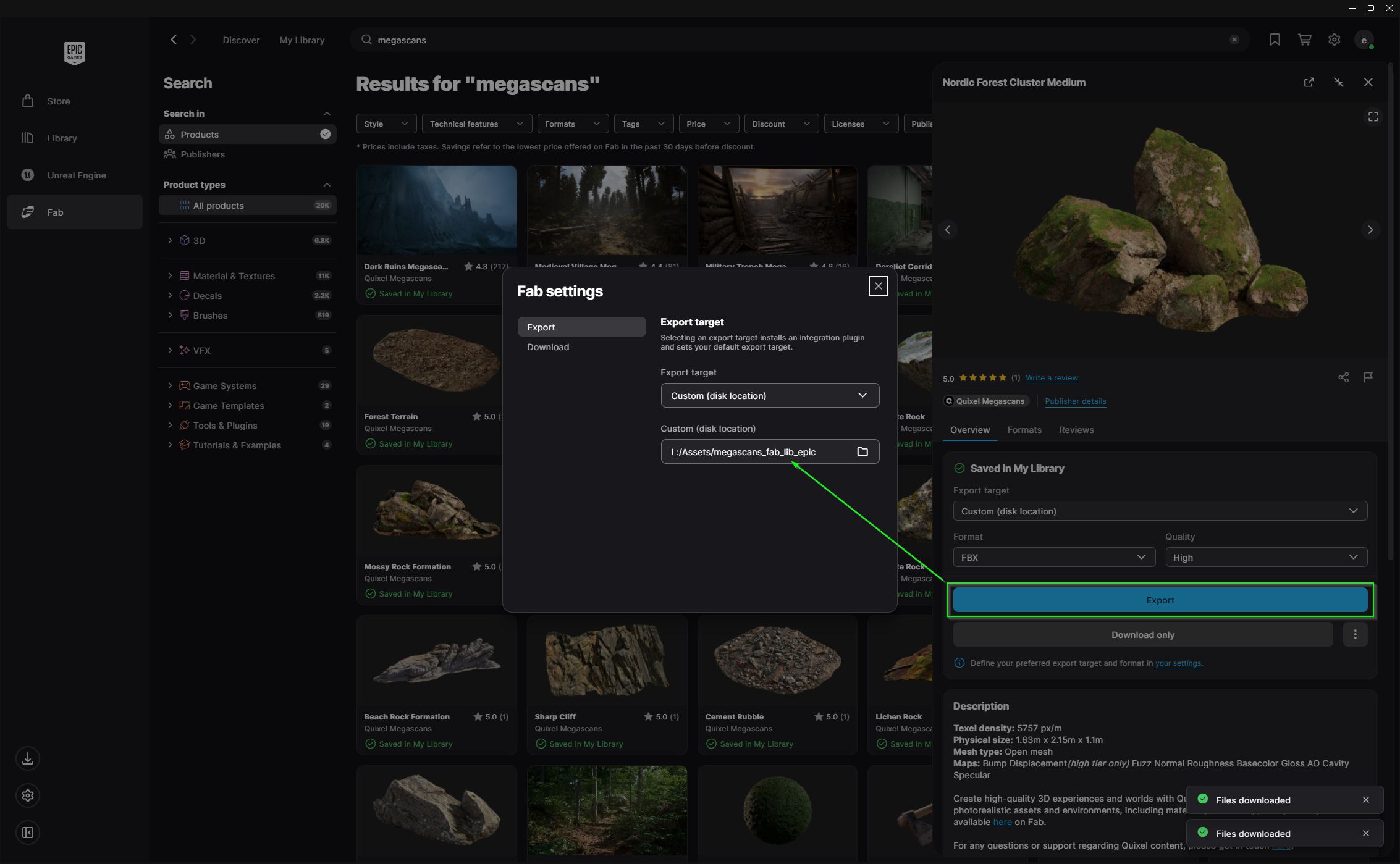
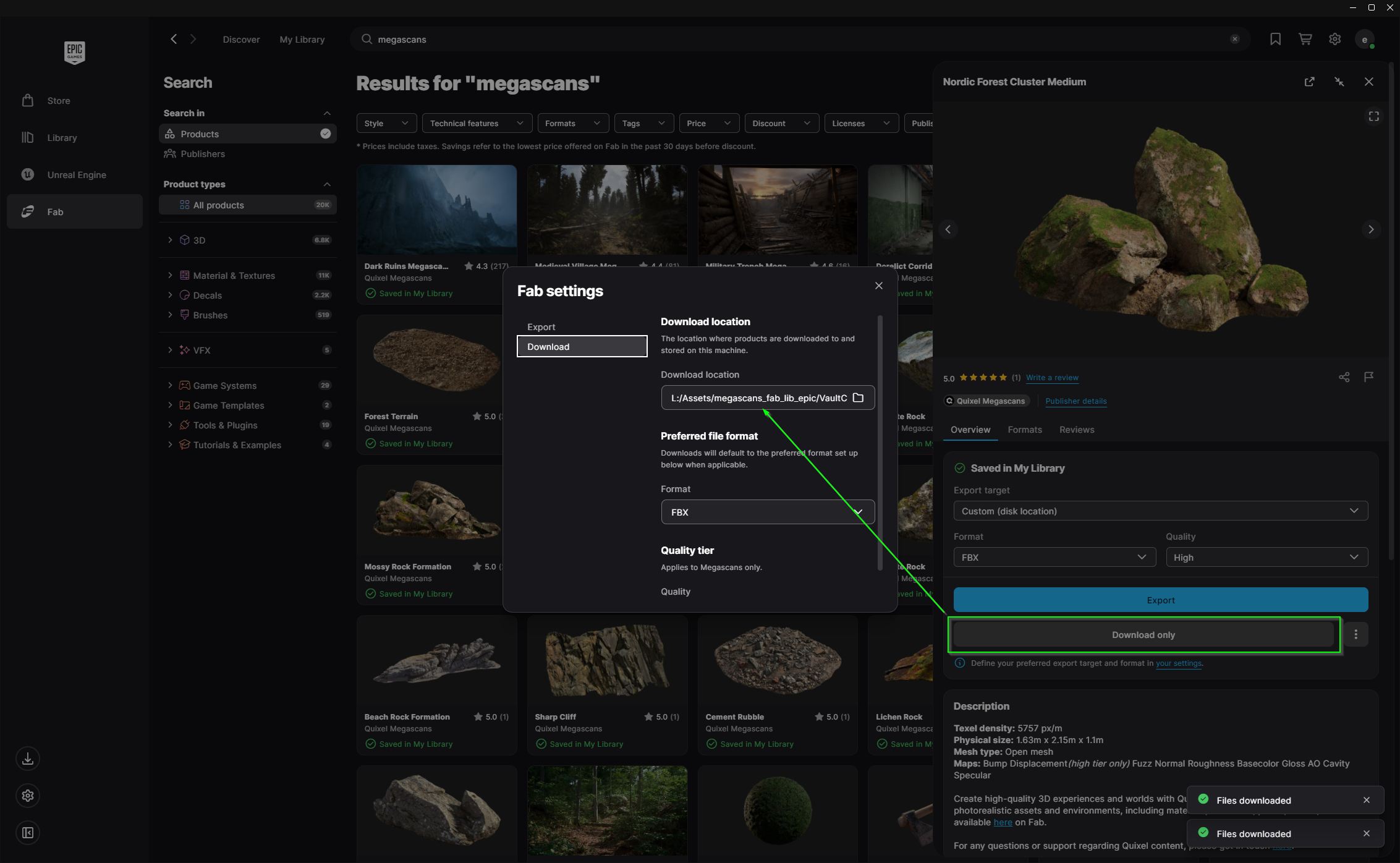
I recommend Download Only: the asset data goes into the VaultCache and appears in the Fab library of the ASSH. Export works as well and adds more metadata. You can mix both.
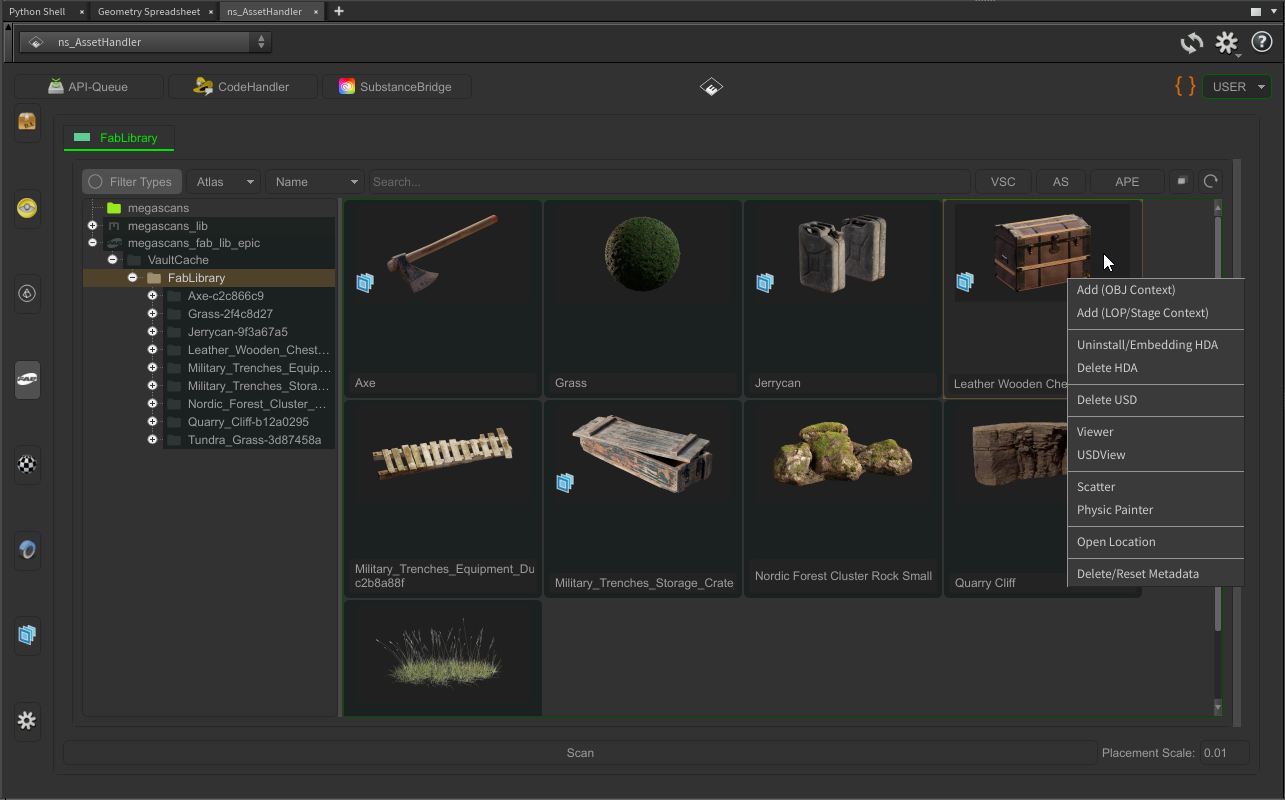
The metadata is a little different from classic Megascans assets. The description from the Fab store is in the key Description.
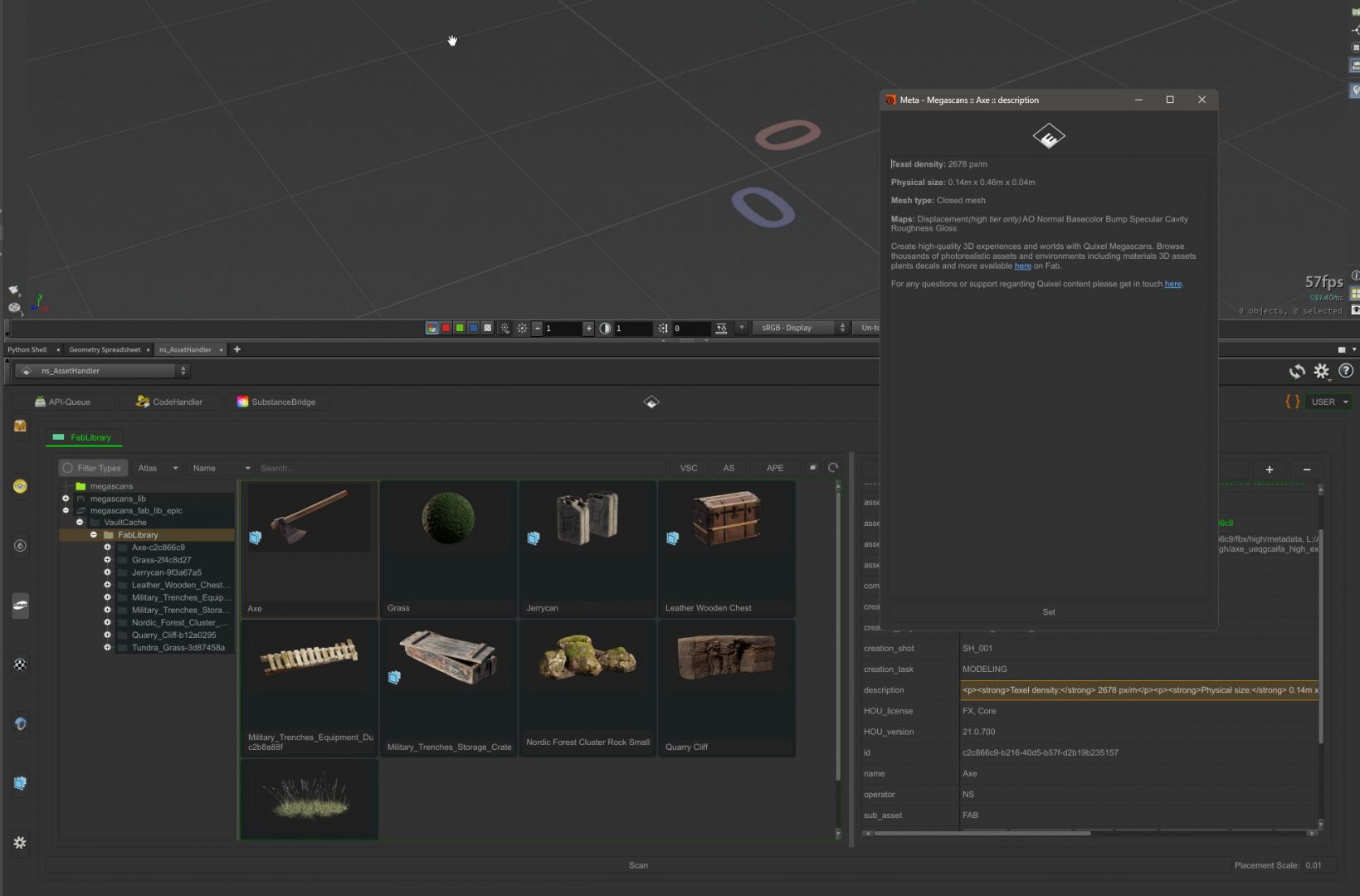
You use Fab assets like other Megascans assets, including the right-click options for materials and the 5-Layer-PBR.
Note
If the Epic Games Launcher does not accept the VaultCache folder, edit the setting VaultCacheDirectories= in this file directly:
C:/Users/<USER>/AppData/Local/EpicGamesLauncher/Saved/Config/WindowsEditor/GameUserSettings.ini