ASSH = AssetHandler
The ASSH keeps all versions of an HDA in one file in the library, so every artist has every version. A definition name has three parts: namespace::name::version.
Create a new version
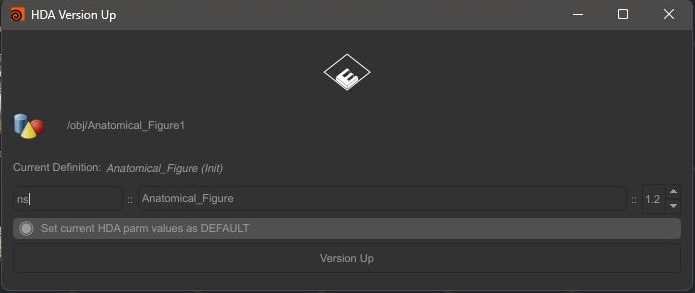
- Right-click the HDA node and choose [ ns_AssetHandler ] > Version(+) HDA (in SOPs Version(+) SOP HDA).
- The dialog shows the current definition. Change the namespace or name if you like; the version is raised by 0.1.
- Keep Set current HDA parm values as DEFAULT checked to use the current values as defaults of the new version.
- Press Version Up. The node switches to the new definition.
Material HDAs inside the asset (the matnet1 of Aixterior and Megascans assets) get a new version with the same namespace and number.
Switch between versions
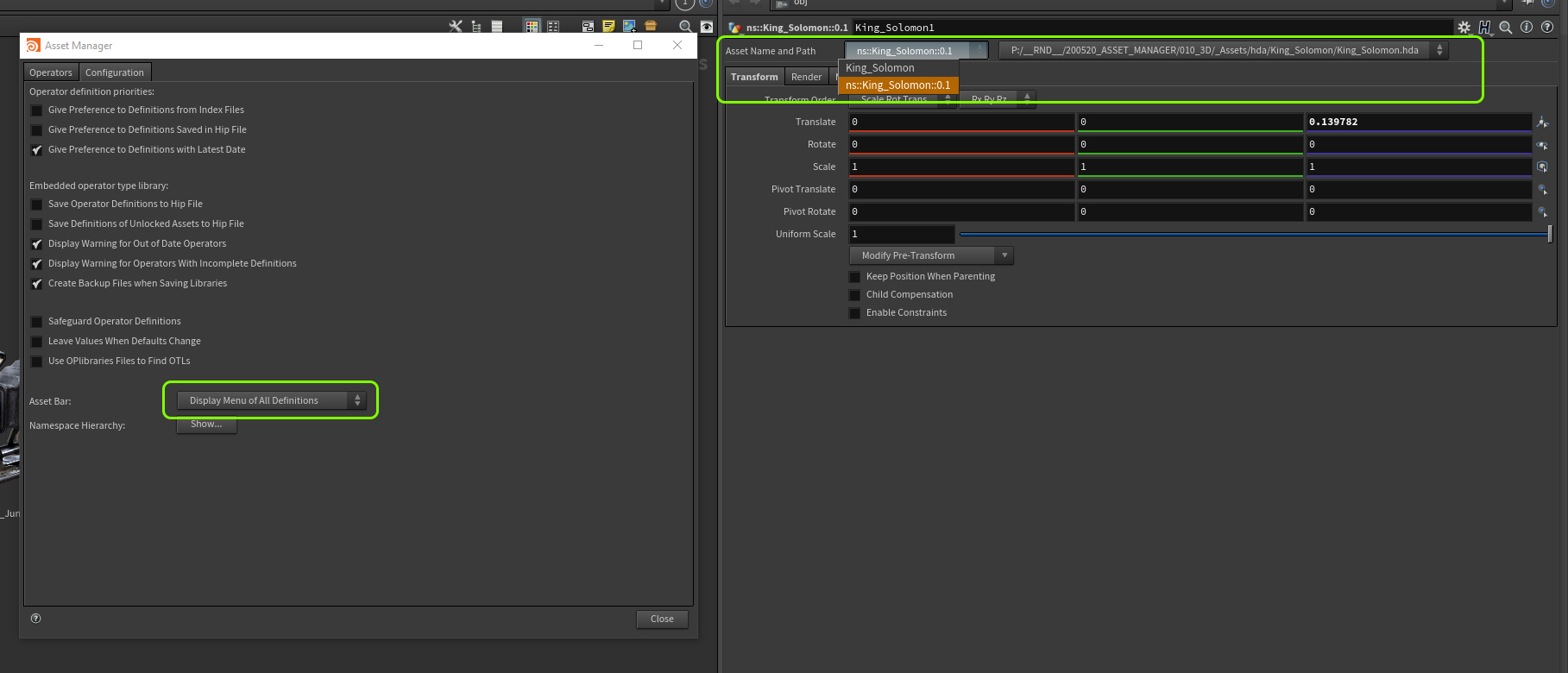
In the Houdini Asset Manager > Configuration tab, enable Display Menu of All Definitions. Every HDA node then shows a menu with all versions. Delete old versions there as well.
Embedding
Embedding HDA (OBJ), Embedding SOP HDA and Embedding MAT HDA store the definition of the selected node in the hip file. Use it to send a scene to someone without your library.