ASSH = AssetHandler
The Textures / Materials tab holds pictures, texture folders and PBR sets: your own textures in the textures folder or in libraries of type TEXTURES, PBR sets from ambientCG and PolyHaven and the AMD MaterialX Library (see API Assets).
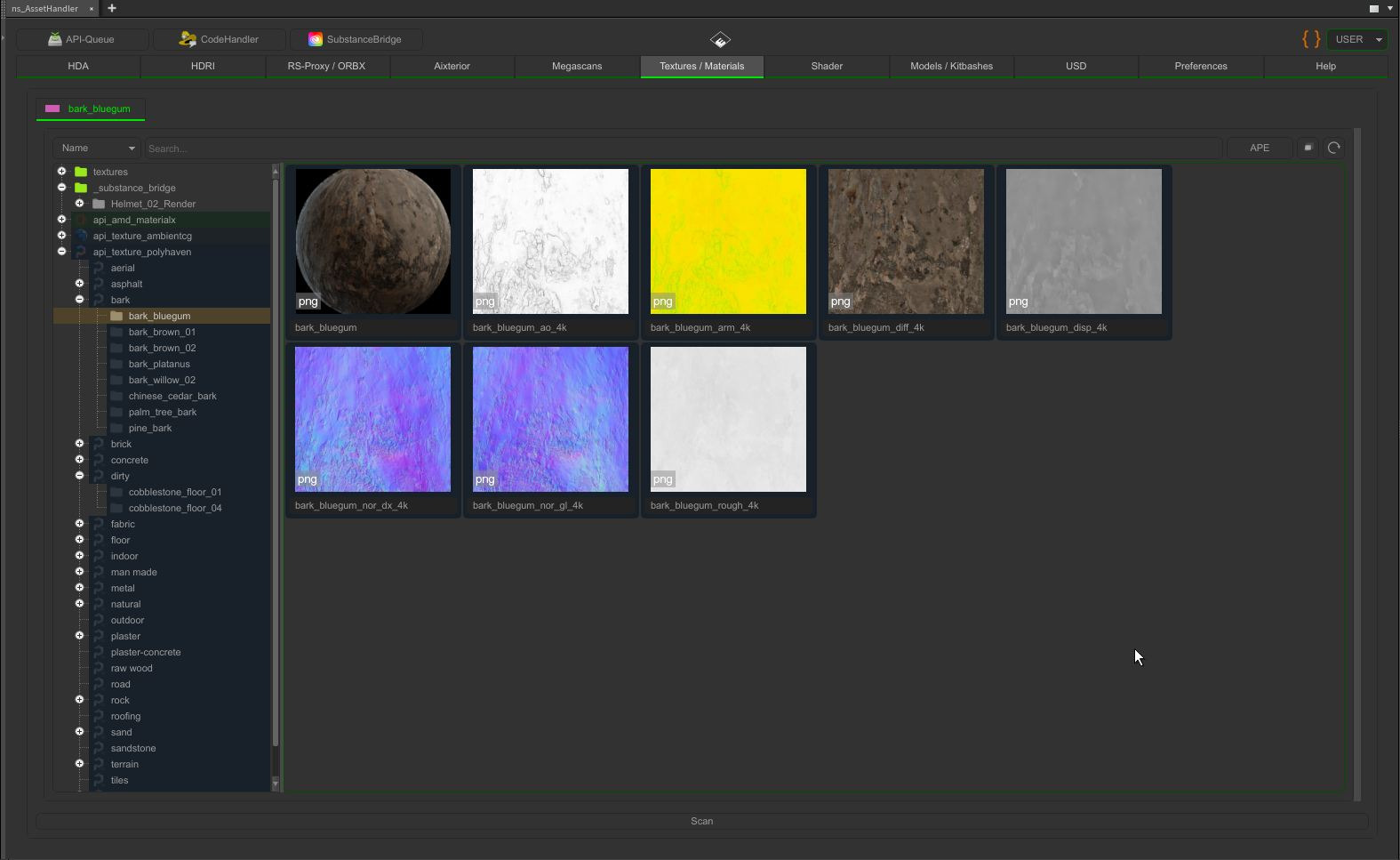
Supported files
- Pictures:
.jpg,.jpeg,.png,.exr,.tif,.tiff,.tga(.exrand.tgaare read with OpenImageIO) - Image sequences are shown as one item
- Videos:
.mov,.mp4,.avi. They play in the External Player from the Preferences, for example DJV. - Also listed:
.mtlx,.usd*and.iesfiles. IES files have no preview; click them to copy the path.
Single textures
- Add Texture Loader (MAT Context): a texture node in the current material network
- Add File Loader (COP Context): a file node in Copernicus. You can also drop pictures and videos into a COP network.
- Viewer: opens the picture. The arrows step through the other maps of the folder.
Preferences > Assets > Textures > Drop with expanded Path writes the full path instead of $ASSET_LIB/....
Texture folders as material
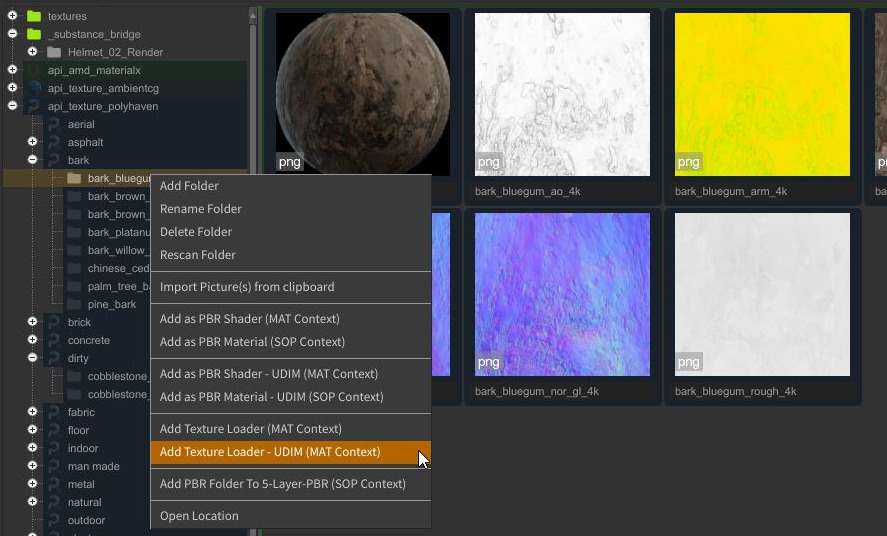
Right-click a texture folder in the folder tree to build a material from all maps in it:
- Add as PBR Shader (MAT Context) and Add as PBR Material (SOP Context), each also as UDIM version
- Add Texture Loader (MAT Context) (and UDIM) for all maps
- Add PBR Folder To 5-Layer-PBR (SOP Context)
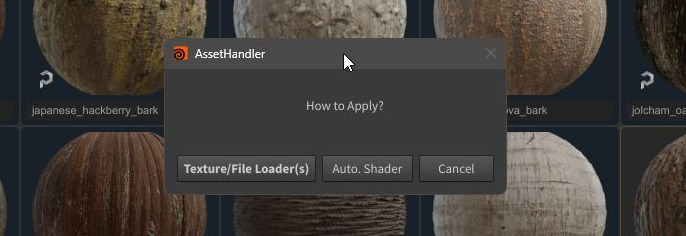
When you drag a texture set into the network, the dialog How to Apply? asks whether you want Texture/File Loader(s) or an Auto. Shader. Which file is which map is decided by the Texture Wildcards in Preferences > PBR. Add your own naming there if your maps are not recognised.
The auto. materials exist for Redshift, Karma/MaterialX, Mantra, Arnold, RenderMan and Octane. The Karma/MaterialX materials have rest position and rest normal options for sticky triplanar projections and hexagonal tiling.
Folders and clipboard
Organise textures in subfolders with the folder tree. Import Picture(s) from clipboard copies pictures you copied in the file explorer into the selected folder.